

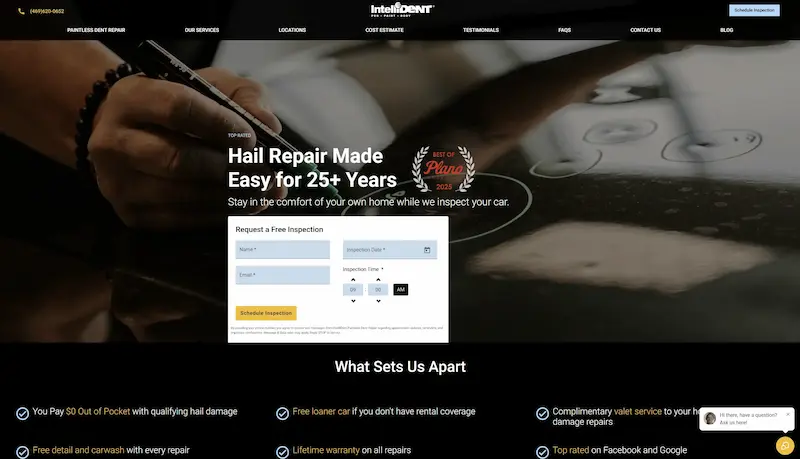
IntelliDent PDR
A custom website to replace a plugin-heavy WordPress site, with local SEO for the areas the shop serves, inspection request forms, and lead notifications by text, email, and the shop’s systems.
AI automation
We set up AI assistants and automated workflows that handle repetitive steps—answering approved questions, routing inquiries, and helping prospects book a time—while your team stays in charge of the conversations that need a person.
The exact scope is agreed with you before work starts. Typical deliverables include:
Sort incoming requests by service or location and assign them to the right person.
Respond to common questions—services offered, areas served, how to book—using information you provide and approve.
Send a text or email alert when an inquiry arrives or needs attention.
Offer open times from your booking calendar. A booking is confirmed only when the calendar accepts it.
A voice assistant limited to answering calls and booking appointments. It doesn’t give quotes, make guarantees, or act outside what you’ve configured.
These are configurable use cases. We scope each one with you, test it with your team, and expand only once it works reliably.
Automation should make it easier to reach a person, not harder. We configure assistants to:
Assistants work from the information and rules you approve. Pricing, quotes, and commitments stay with your team.
Optional: try a sample assistant before talking with us. The consultation doesn’t require it.
Related work: IntelliDent’s website inquiries trigger automated text and email notifications to the team. That workflow uses automation, not AI.
A custom website to replace a plugin-heavy WordPress site, with local SEO for the areas the shop serves, inspection request forms, and lead notifications by text, email, and the shop’s systems.
What to expect, stated plainly.
No. We set assistants up to identify themselves as automated and to hand off to your team when needed.
It’s configured to say so and route the conversation to your team rather than guess.
Yes, when it’s connected to your booking calendar. An appointment is confirmed only when the calendar accepts the booking.
Not always. If your inquiry volume is low or each request needs a custom conversation, a simple CRM workflow may be a better start. We’ll recommend the simplest option that works.

Leads arrive from everywhere, and follow-up depends on someone remembering.

Your website looks dated, is hard to use on a phone, or gets visits but few inquiries.
Book a consultation to talk through what you need, whether that’s a website refresh, better search visibility, a CRM setup, or automation. We’ll look at your goals and current setup and suggest a sensible next step.
Prefer phone or email? (279) 263-8769 or support@salespass.com